




What is the difference between UPC and APC?
If you’ve ever dealt with fiber optic cables—whether you’re setting up a network at home or running a data center—you’ve probably run into the terms UPC and APC. It might seem like these are just another pair of confusing acronyms, but picking the right connector actually matters a lot for performance and reliability. Let’s break down what these terms mean in plain English and help you figure out which type is best for your needs.
What Is UPC?
So, UPC stands for Ultra Physical Contact. Basically, it’s a specific way of polishing the end of the fiber connector. UPC connectors have a super-smooth, flat finish, so the fiber cores line up well when plugged together. That means less signal leaking out and more data getting where it needs to go. These are big in phone networks, internet setups, and anywhere you need solid, reliable connections.
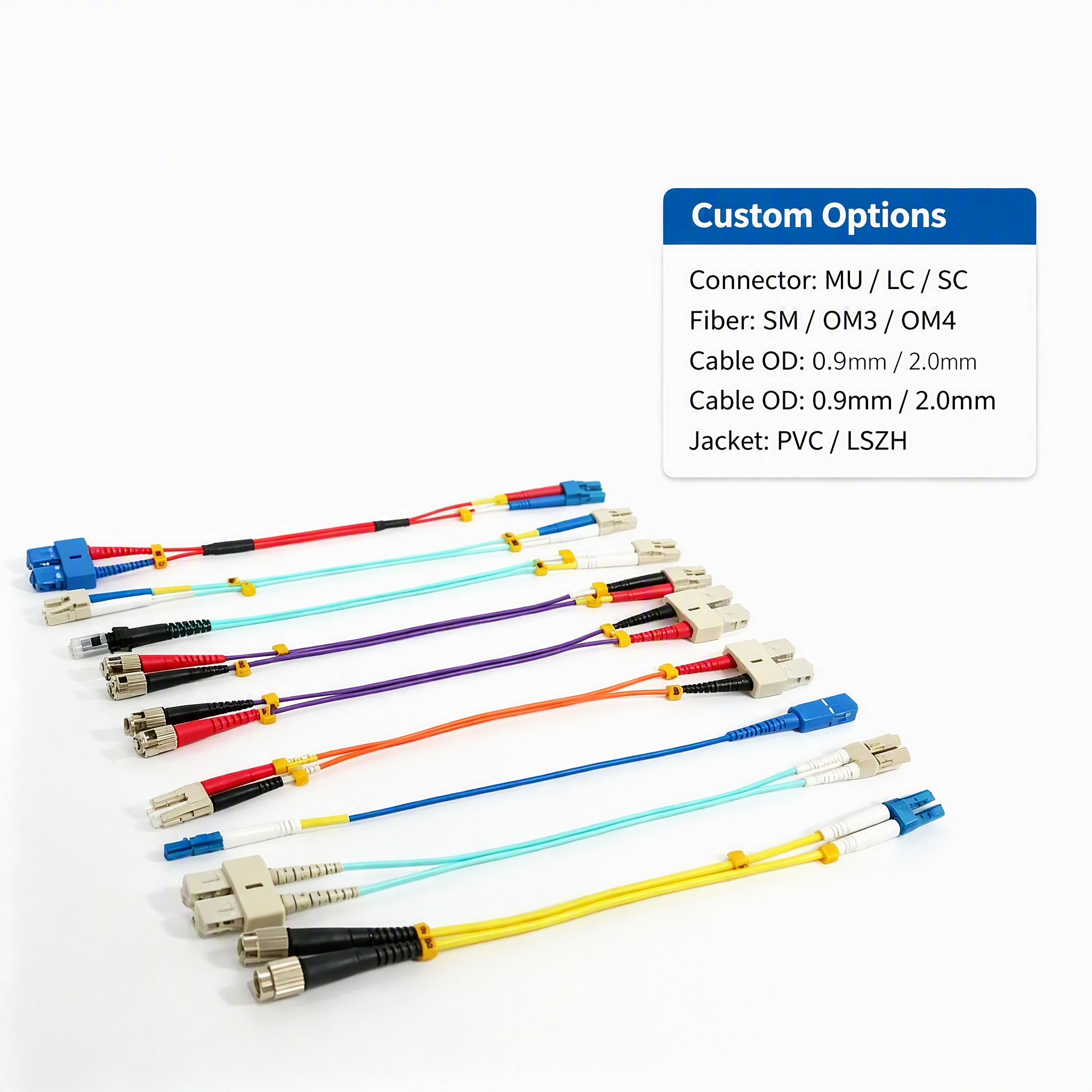
How can you spot a UPC connector? Easy—they usually have a blue housing. That color code helps everyone avoid mix-ups and mistakes during installation. And because of their smooth polish, UPC connectors do a good job of reducing the amount of light that bounces back into the cable, keeping your network running efficiently.
What Is APC?
On the flip side, APC stands for Angled Physical Contact. Instead of a flat finish, APC connectors are polished at an 8-degree angle. Why does that matter? This angled end stops light from being reflected straight back into the fiber—which is something you really want to avoid if you’re transmitting sensitive video or audio signals.
APC connectors typically come in green, so they’re easy to tell apart at a glance. These are super important if you’re working with analog signals, like cable TV, or in places where the tiniest interference can mess up your picture or sound. They’re also the go-to choice for big telecom companies and anyone needing high-quality, long-distance connections.
UPC vs. APC: The Real Differences
Okay, now let’s talk about what actually sets UPC and APC apart.
Shape of the End Face:
UPC connectors are polished until the end face is nearly perfectly flat. APC connectors get an angled polish. That angle is what makes APC special—light hits it and bounces away instead of straight back.
Optical Performance:
UPC connectors are great for basic digital signals. Their design keeps signal loss (insertion loss) low, which is awesome for most internet and telephone installs. But they’re not quite as good at getting rid of “return loss,” or the reflected light. APC connectors, with their angle, blow UPC out of the water for return loss—they really cut down on those annoying reflections.
Where They’re Used:
UPC is your go-to for digital networks: office LANs, telecom boxes, and everyday internet. APC is king for analog networks, like cable TV, fiber-to-the-home (FTTH), and places where clarity matters (think high-definition broadcasting).
Color Coding:
As mentioned, UPC = blue, APC = green. That color helps techs instantly spot the right connector and avoid mismatches. Simple, but effective!
Why Should You Care About Return Loss?
If you’re setting up a network, you want as little “return loss” as possible—basically, you don’t want any of that signal bouncing back and interfering with your transmission. UPC connectors usually have decent return loss (about -50 dB), but if you’re working with video or high-speed links, APC’s return loss (below -60 dB) is much better. That means crisper video, cleaner audio, and fewer headaches with dropped signals or fuzzy pictures.
Whether you’re an installer or a DIYer, knowing about return loss can help you choose connectors that keep your setup running smoothly, especially for tricky projects like security cameras, live broadcasts, or medical equipment.
How to Choose: When UPC or APC Makes Sense
The choice isn’t just about specs—it’s about the real job you’re doing.
UPC Connectors:
These are great for everyday digital networks. If you’re building a computer network, connecting servers, or wiring up a basic fiber internet line, UPC connectors are cost-effective and get the job done. They work well over short to medium distances and aren’t as pricey as APC connectors.
APC Connectors:
If you’re dealing with analog signals, like cable TV or FTTH, or if you’re setting up things where signal quality matters big time, you’ll want APC. They make sure reflected light doesn’t mess with your equipment, which is crucial for things like live video streams or sensitive audio transmission.
In short: UPC is fine for most digital work, APC is ideal for anything that needs pristine signal quality or is sensitive to interference.
Is APC Compatible With UPC?
This is a super common question—can you plug an APC connector into a UPC socket? The quick answer is: No. You really don’t want to try it. They don’t line up properly, and forcing them together can mess up the connectors or cause all sorts of signal issues. So, stick to matching types. Blue goes with blue, green with green. Easy rule to remember, and it prevents lots of headaches!
Mixing UPC and APC is not only a technical no-no, but it can lead to extra costs from fixing mistakes. If you’re unsure, double-check the connectors every time before installation or repairs.
How Connectors Affect Your Network
Choosing the right connector isn’t just about sticking cables together—it affects how your entire network performs.
Insertion Loss: This is how much signal you lose just because the connector is there. Both UPC and APC are designed to minimize this loss, but APC stands out when you need the lowest possible loss.
Return Loss: Like we already talked about, APC wins for keeping reflected light (return loss) to a minimum—important for environments where signal clarity is king.
Durability & Cleaning: UPC connectors need to stay squeaky clean; even a little bit of dust or oil can throw off the connection. APC connectors, because of their angle, actually shed dirt a bit better. They’re less likely to be ruined by debris, so they’re easier to keep in good shape.
Maintenance: If you’re maintaining fiber lines, you’ll want to know how to spot issues. A simple microscope inspection can show if the end faces are damaged or dirty. Keeping your connectors clean (with specific fiber cleaning tools—not just a cloth) keeps the performance up.
UPC and APC in New Tech and Fast Networks
We’re seeing wild growth in fiber-optic tech—things like 5G networks, IoT, and high-speed home internet. The choice between UPC and APC is only getting more important. As speeds get faster, even small reflections or losses can cause big problems. In high-speed, high-capacity networks, APC’s performance really proves its worth.
For things like streaming, data centers, and cloud computing, picking the right connector is a huge part of keeping your service fast and reliable. Don’t cut corners—pick the connector that fits your project, not just the one that's on hand.
Tips for Installation and Maintenance
No matter which connector you use, proper installation and maintenance is key. Make sure both ends of your cable use the same connector type and clean them regularly with proper tools. Always check that the color matches—blue-to-blue or green-to-green. Keeping your connectors clean and free from damage makes your fiber network last longer and perform better.
If you’re not sure about maintenance, or which connector to choose, don’t be afraid to ask an expert. There are lots of "fiber nerds" out there happy to help!
FAQs: The Stuff Everyone Asks
How do I tell UPC and APC apart?
UPC connectors are blue and have a flat end face. APC connectors are green and have that distinctive 8-degree angle. So just check the color and shape—it’s pretty straightforward!
Can I swap one for the other?
Not without changing both ends of your fiber line! They’re not compatible—mixing them can cause problems with your signal and may damage the connectors.
Is one more expensive than the other?
APC connectors cost a bit more because of the precision angle polishing. But, if you need the best signal quality, the extra expense is worth it.
Can I test if my connectors are working right?
Yes! Use a fiber microscope or an OTDR (Optical Time Domain Reflectometer) to inspect and test for both insertion and return loss. If you’re seeing problems, cleaning or replacing the connector usually helps.
Is APC compatible with UPC?
Nope! Always stick to matching types. Green goes with green, blue with blue.
Which should I pick for my home or office?
If you’re running basic digital connections (internet, LAN), UPC works just fine. If you’re installing things like cable TV or video feeds, APC is usually a better bet. When in doubt, check what your hardware recommends or ask a pro.
Looking Forward: UPC and APC in Modern Networks
Fiber optic tech keeps getting more advanced. Whether you’re setting up a smart home, streaming high-def video, or rolling out enterprise networks, connector choice really matters. UPC and APC aren’t going anywhere; as speed and bandwidth increase, picking the right connector is a bigger deal than ever.
So, take the time to match connectors, keep them clean, and follow the color codes. A little care now prevents big headaches later, keeps your network humming, and makes upgrades a breeze.
To sum up: UPC and APC connectors look similar on the outside but perform differently depending on how they’re polished. Picking the right one avoids nasty signal issues, saves you maintenance trouble, and helps your network handle anything you throw at it. Whether you’re a seasoned pro or a beginner, remembering the basic differences—and that blue doesn’t mix with green—keeps everything running smoothly and efficiently.