Choosing the right SFP LC module isn’t just about matching a port shape — it can actually make or break your network’s stability and save you from costly performance issues down the line. It’s more than just picking the same connector type; you also gotta consider things like transmission speed, fiber type, wavelength, how far the signal needs to go, and whether it’s compatible with your switch. For example, a duplex LC connector might look familiar, but inside, those specs can vary a lot, so don’t assume they’re all the same.
In real-world setups, most techs usually start with the optical link budget. Say you’re running a quick 10Gbps link inside a server room—chances are you’ll go with multimode fiber and a short-range transceiver. But if it’s a campus-wide connection, you’ll probably need single-mode fiber, longer reach, and tighter power controls. Always peek at the switch datasheet, check the fiber label, and look at the module coding before you hit ‘buy’. Little details matter more than you might think. Plus, DOM monitoring can help catch issues like temperature drops, voltage swings, or power dips before your link even throws a fit.
When you’re dealing with existing copper cabling, a SFP RJ45 module can be a real game-changer. It might make upgrades easier, but beware — these can also draw more power and generate heat inside dense switches, which can sometimes be overlooked. For me, the key to a good choice is digging into manufacturer docs, looking at independent test results, and doing a small compatibility check first. Even products from the same brand can behave differently depending on the firmware version, so don’t just assume. The best way to be sure? Test the module under real traffic conditions—not just when it’s idle. Making a careful choice like this means easier maintenance, clearer troubleshooting, and a network that keeps performing well long after you’ve finished installing it.
Honestly, it’s all about paying attention to the details and making smart, informed decisions — that’s what keeps your network running smoothly without surprises.
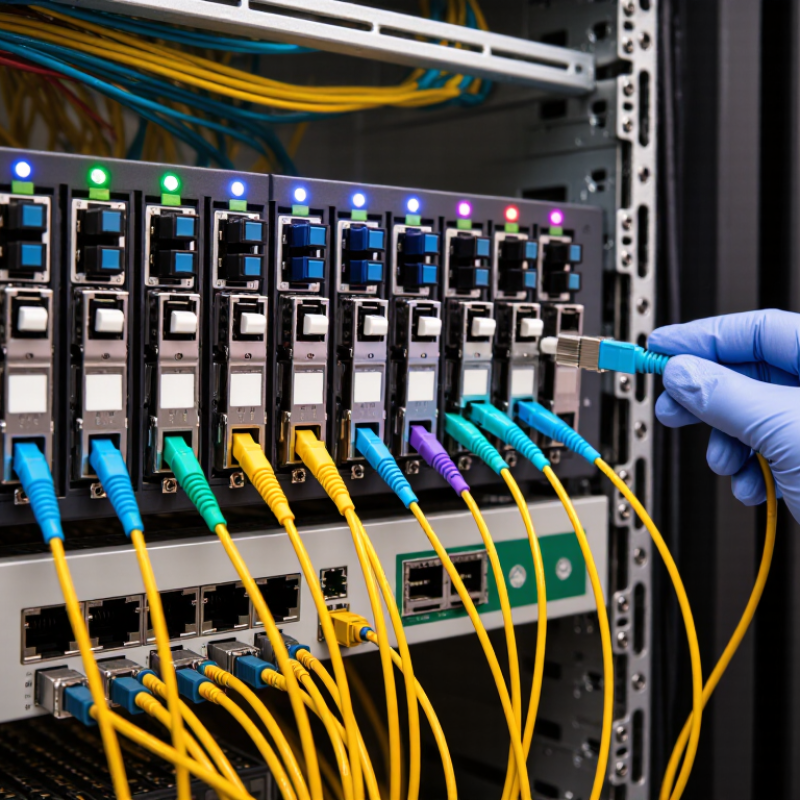
An SFP LC module is a compact, hot-swappable transceiver that connects network equipment to fiber cabling. Its LC connector uses two small fiber ends for transmitting and receiving data. The module converts electrical signals into optical signals, then converts incoming light back into data. In practical deployments, an Sfp Transceiver Module Sfp can link switches, servers, and routers across offices, data centers, or campus buildings. Its purpose is clear: provide a flexible fiber connection without replacing the entire device.
Choose the module according to speed, fiber type, wavelength, and transmission distance. Single-mode fiber usually supports longer links, while multimode fiber suits shorter connections. Check the equipment’s supported data rate and optical specifications before ordering. A 10-gigabit module cannot solve a port compatibility problem.
Clean the LC connectors carefully. Dust can create unstable links or unexpected packet errors. Still, distance alone does not decide performance. Fiber quality, patch-panel design, and bend radius matter too. It is easy to overlook them.
Tips:
That small record can reveal gradual signal loss later. A quick assumption can be costly.
Fiber type is the first checkpoint when selecting an Sfp Module. Multimode fiber usually supports 850 nm optics for short data-center links. OM3 commonly reaches 300 meters at 10Gbps, while OM4 can reach 400 meters. Single-mode fiber suits longer paths and typically uses 1310 nm or 1550 nm wavelengths. These figures follow IEEE Ethernet specifications, but installed cabling can perform differently.
Wavelength must match the fiber and the module at both ends. A 1310 nm optic designed for single-mode cable should not be paired casually with 850 nm multimode fiber. Check the equipment label, LC connector type, and optical budget. ITU’s Facts and Figures 2023 recorded 5.4 billion internet users worldwide. That growth increases pressure on reliable uplinks, even in smaller buildings. A small mismatch can create intermittent errors.
Distance tables are not promises. I have seen links fail after passing basic continuity tests because dirty LC faces added loss. Clean the connectors. Measure the actual route, including patch panels and bends. For example, a 10-kilometer rating may require single-mode fiber, the correct wavelength, and enough receiver sensitivity. The Ethernet Alliance’s 2023 roadmap highlights growing 400G and 800G requirements, yet higher speed does not excuse poor installation. Recheck the specification. Distance is only one part of the decision.
Choosing an SFP LC module starts with the network speed and the equipment standard. A 1G switch needs a 1G SFP, while a 10G port normally requires an SFP+ module. A 25G interface generally uses SFP28. These formats may look similar, but their electrical signaling is different. In practice, inserting the wrong module can cause link failure or unstable negotiation.
Fiber type matters just as much. For short data-center links, 10GBASE-SR commonly uses 850 nm multimode fiber. For longer connections, 10GBASE-LR uses 1310 nm single-mode fiber and can reach about 10 kilometers under IEEE 802.3 specifications. The Ethernet Alliance’s 2023 roadmap identifies 25GbE, 100GbE, 400GbE, and 800GbE as important capacity stages. This growth makes careful port matching more important.
Check the switch datasheet, port speed, wavelength, fiber mode, and supported coding before ordering. Also verify whether the equipment accepts third-party modules. Some systems enforce digital monitoring or compatibility rules. I have seen installations fail because the fiber was correct, but the module’s coding was not accepted. A shortcut can work. Usually, it creates rework. Port standards should be confirmed first, not after the cables are installed.
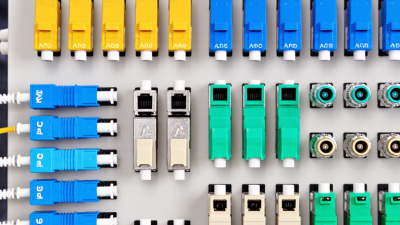
Choosing an SFP LC module starts with the connector, not the advertised speed. The LC interface is defined by IEC 61754-20, but physical fit alone proves little. Check whether the link requires duplex LC or simplex LC for BiDi transmission. Also confirm the panel’s polarity, latch clearance, and available bend radius. A crowded rack can damage a cable that looked suitable during installation.
Fiber compatibility is equally important. Match the module with multimode OM3 or OM4 fiber, or single-mode OS2 fiber. Then verify wavelength, transmission distance, and optical budget. An 850 nm multimode module should not be paired casually with an OS2 link. The ITU Facts and Figures 2023 report counted about 5.4 billion people online, showing why scalable, reliable physical infrastructure matters. Small compatibility errors now can become widespread service problems later.
Inspect both LC ends before insertion. Dust is tiny. Its effect is not. Use the correct cleaning method, inspect the end face, and test loss with an optical loss test set. Never mate UPC and APC finishes without confirmation; their angles and return-loss behavior differ. A recurring field lesson is that datasheet distance is not a guarantee. Patch panels, adapters, splices, and temperature can reduce the margin. I would record connector type, fiber grade, wavelength, polarity, and measured loss for every link. That record may feel excessive. It often prevents the second visit.
When choosing a Module Sfp with an LC connector, check its power draw alongside the switch’s port budget. A low-power optic can still run hot in a tightly packed chassis. Read the module’s maximum consumption, not just its typical figure, and leave headroom for other ports. SFF-8472 defines digital diagnostics that can report module temperature and transmit power. These readings help spot a rising temperature before link errors appear. Useful, but not magic.
Temperature ratings need context. A commercial-rated module commonly supports 0°C to 70°C; extended-temperature models may cover -40°C to 85°C, depending on the product specification. Measure the air near the port, not across the room. Dust, blocked vents, and adjacent hot ports can change the local conditions. Uptime Institute’s 2024 Global Data Center Survey reported an average facility PUE of 1.56, a reminder that cooling efficiency remains a real operational concern. PUE does not predict an optic’s temperature, though. Check the equipment manual and IEEE 802.3 link requirements for compatibility, then verify performance under the actual load. Field checks can miss brief heat spikes. That deserves a second look.
Before ordering an SFP LC module, check the switch’s supported transceiver types and port speed. Read the device documentation, not just the product listing. Confirm whether the link needs single-mode or multimode fiber, then match the module’s wavelength and transmission distance to the cable and far-end optic. Connector type matters too: LC is common on compact transceivers, while an Sc Sfp Module uses a different connector. Do not assume they fit the same port. A compatible fiber patch cord or approved conversion approach may be needed.
Reliability depends on more than a successful link light. Check operating temperature, optical power limits, and any diagnostic monitoring your equipment can read. For a critical link, inspect connector end faces and clean them with suitable fiber-cleaning tools before connection. Dust can cause intermittent errors that look like a faulty module. Small details matter. Seat the transceiver gently until it latches, route the cable without tight bends, and avoid pulling on the connector. Then verify link status and error counters under normal traffic. A quick bench test helps, but it may not reveal every issue. I would still confirm compatibility with the exact switch model; documentation can be incomplete, and assumptions are easy to make.
Check whether the port requires duplex LC or simplex LC. Confirm latch clearance and cable bend space. Physical fit alone is not enough.
Identify whether the cable is multimode OM3 or OM4, or single-mode OS2. Match its wavelength and distance requirements to both ends.
No. For example, an 850 nm multimode module is not a casual match for an OS2 link. Check the equipment specifications.
Inspect both end faces and clean them with suitable tools. Dust is tiny. Its impact may not be.
Do not connect them without confirming compatibility. Their end-face angles differ, which can affect optical performance.
Check maximum power consumption and leave room in the port budget. Measure air near the module, especially in crowded or dusty equipment.
No. Temperature and optical power readings can help reveal changes, but they cannot guarantee stable performance. Check errors under normal traffic too.
Confirm the transceiver is supported by the exact switch model. Route the cable without tight bends, then check link status and error counters. A bench test can miss problems. I would verify it again under real operating conditions.
Choosing an Sfp Lc Module starts with understanding its role in the network and the connection it needs to support. Check the fiber type, wavelength, and transmission distance to ensure the module can carry data reliably over the intended link. Its speed and technical standards must also match the network equipment at both ends; otherwise, the connection may not perform as expected.
Next, verify that the LC connector suits the installed cabling and that the module is compatible with the fiber. Consider power requirements, operating temperature, and environmental conditions, especially for equipment installed in demanding locations. Before installation, confirm compatibility with the relevant devices and review any setup requirements. A careful check of these factors helps you select a suitable module, reduce connection issues, and support dependable network operation.