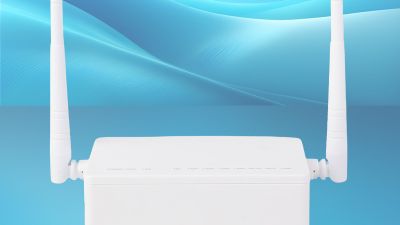
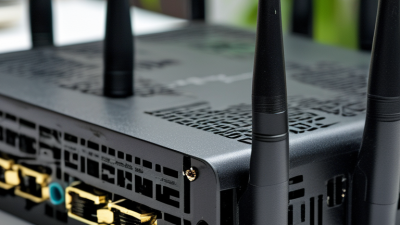
Picking the right ONU WiFi router can really make a difference in your internet experience. Honestly, it’s pretty important to think about what you actually need before you jump in and buy something. Not all routers are created equal, and they can vary a lot in what they do well.
For example, some models are all about super-fast speeds, while others are better at covering a bigger area — which is super handy if you’ve got a large house. Don’t forget to look at features like dual-band support or security options, since these can really impact both how well it performs and how safe your network is.
Reading user reviews is actually a pretty good way to get a sense of what you’re really getting, especially from people who’ve used them in real life. Brands like TP-Link or Cisco tend to be pretty reliable, so those are usually safe bets. Just keep in mind, a good router can definitely boost your connection, but your internet service provider (ISP) also plays a big part in how everything works together.
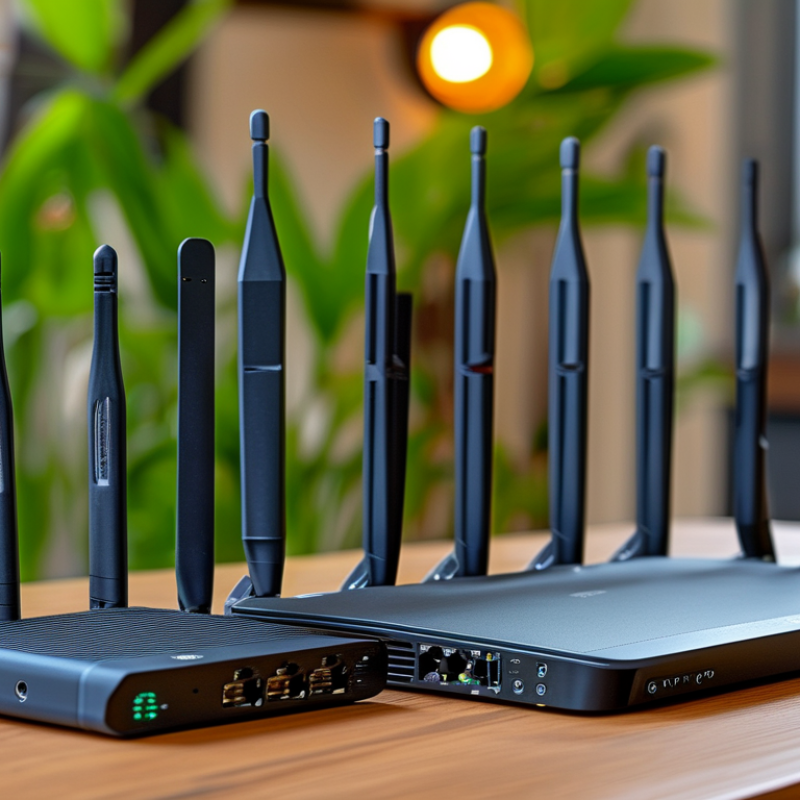
What is an ONU WiFi Router and How Does It Work?
An Optical Network Unit (ONU) WiFi router plays a crucial role in modern internet connectivity. It bridges the fiber-optic network and your home devices. This device converts optical signals into electrical data for seamless internet access. Typically, an ONU WiFi router provides high-speed internet, often exceeding 1 Gbps. According to a recent industry report, fiber-optic connections can deliver ten times the speed of traditional cable connections.
Understanding how an ONU WiFi router functions can illuminate its benefits. It uses two main components: the optical transceiver and the wireless access point. The transceiver receives data from the fiber network and converts it. The wireless access point broadcasts this data to connected devices. Many users fail to appreciate that the efficiency of their router significantly affects performance. A poorly configured or outdated ONU can create bottlenecks, even with high-speed connections.
When selecting an ONU WiFi router, consider your specific needs. Connectivity requirements vary, with smart homes demanding more bandwidth. Experts suggest that a router's coverage area and number of simultaneous connections can greatly impact user experience. Not all ONU routers handle multiple devices efficiently. Make sure to choose one that balances speed and coverage for your specific home setup.
Comparison of ONU WiFi Router Features
Key Features to Consider in an ONU WiFi Router
When selecting an ONU WiFi router, several key features are essential.
Bandwidth is a major consideration.
High bandwidth ensures faster internet speeds. According to a report from the
International Telecommunication Union,
user demand for bandwidth has surged by over 50% in recent years. Choosing a router
capable of handling high data rates is vital for
both casual browsing and streaming.
Another critical aspect is the coverage area. A good
Onu Router
should provide extensive coverage, especially for larger homes.
A study from the Networking Industry Association
suggests that routers with dual-band or tri-band technology can increase coverage by up to
30%. This can effectively eliminate dead zones in
your living space.
Security features cannot be overlooked.
Look for routers that support advanced encryption protocols.
The latest data indicates that over 75% of
cyberattacks exploit weak router security. A reliable ONU router should include options like
WPA3 encryption to protect your network from unauthorized access.
Assessing these features will guide you toward the best choice for your needs.
Assessing Your Internet Speed and Usage Needs
Assessing your internet speed and usage needs is crucial when choosing an Onu Wifi router. Start by testing your current internet speed. Use online tools to get accurate results. Knowing your download and upload speeds helps determine what router suits you best.
Consider how many devices connect to your network. More devices can slow down your connection. If streaming or gaming, you’ll need a router that handles high speeds. Think about your daily usage. Casual browsing requires less power than heavy video streaming. An unstable connection can lead to frustrations.
Identify any areas in your home with poor connectivity. Sometimes, a router may not cover the entire area. Walls and furniture can disrupt signals. It’s worth considering if a mesh network would be beneficial. Don't rush the decision. Take the time to analyze your specific needs to ensure you choose the right Onu Wifi router.
Types of ONU WiFi Routers: Which One Suits You Best?
When selecting an ONU WiFi router, understanding the types available is critical. Generally, there are three main categories: basic home routers, advanced gaming routers, and mesh network systems. Basic home routers typically offer sufficient speed for browsing and streaming. According to industry statistics, 45% of households fall into this category, meeting the needs of average users.
Advanced gaming routers cater to gamers demanding higher bandwidth and low latency. These routers often incorporate Quality of Service (QoS) features, optimizing connection speed for gaming. Recent studies indicate that gamers experience a 30% improvement in performance with these routers, making them a worthwhile investment for avid players. However, their higher price point may make some hesitate.
Mesh network systems provide extensive coverage, perfect for larger homes. They minimize dead zones by utilizing multiple nodes. Research shows that these systems can increase coverage by up to 50% compared to traditional routers. However, setting up a mesh system can be complicated and may not be suitable for everyone's needs. Evaluating your specific requirements and network usage patterns will help you make an informed decision.
How to Choose the Best Onu Wifi Router for Your Needs? - Types of ONU WiFi Routers: Which One Suits You Best?
| Router Type |
Speed |
Coverage Area |
Features |
Best For |
| Single Band Router |
Up to 300 Mbps |
Small apartments |
Basic internet browsing |
Casual users |
| Dual Band Router |
Up to 1200 Mbps |
Medium-sized homes |
Streaming, gaming |
Families |
| Tri Band Router |
Up to 4000 Mbps |
Large homes |
Multiple devices, high traffic |
Gamers, heavy users |
| Mesh WiFi System |
Varies (up to 3000 Mbps) |
Very large spaces |
Seamless coverage |
Whole-home coverage |
| ADSL/VDSL Router |
Up to 100 Mbps |
Home offices |
DSL compatibility |
Remote workers |
Comparing Price Ranges and Budget Considerations
When selecting a Wifi Onu router, budget considerations play a crucial role. Prices can vary significantly, from basic models around $50 to high-end options exceeding $300. Many users may opt for budget-friendly routers which often lack advanced features. However, investing in a more expensive model can yield better performance and durability.
According to a recent report by the Consumer Technology Association, more than 70% of consumers prioritize speed and coverage in their routers. A higher price often correlates with faster speeds and more extensive coverage areas. Yet, many budget options claim high performance without delivering on promises. Users may find themselves needing to replace cheaper models within one year.
It’s essential to evaluate your specific needs. For instance, casual browsing may not require a top-tier router. However, avid gamers or remote workers should consider more robust solutions. While the allure of lower prices is strong, consider long-term value. A Wifi Onu router that meets your requirements can enhance your experience, making it a worthwhile investment.
Installation and Setup Tips for Your ONU WiFi Router
When setting up your ONU WiFi router, attention to detail is crucial. The installation process is often the first step in ensuring optimal performance. Begin by choosing a central location for the router. This can greatly impact signal strength and coverage.
According to industry reports, placing a router in an elevated position can improve its range by up to 30%. Avoid thick walls or crowded areas to minimize interference.
Connecting the router to your modem is the next key step. Use a high-quality Ethernet cable for this purpose. Poor cabling can lead to significant latency. Many reports indicate that a lack of proper setup can reduce overall network speeds by as much as 50%. Once connected, power on the router and follow the manufacturer’s setup wizard for easy configuration. This process typically allows you to create a secure Wi-Fi network with a password.
Don't overlook firmware updates. Regular updates can enhance security and improve performance. A study showed that 40% of users never update their router’s firmware, leaving their networks vulnerable. Monitoring your network’s performance regularly can also reveal any issues that need fixing. Pay attention to the number of connected devices. Each device can consume bandwidth, leading to slower speeds if not managed properly.
Troubleshooting Common Issues with ONU WiFi Routers
Troubleshooting ONU WiFi routers can be a daunting task. Many users encounter common issues that disrupt their internet experience. According to industry reports, nearly 30% of consumers face connectivity issues within the first year of purchase. This often stems from improper setup or interference.
One prevalent problem is signal interference. Walls, electronic devices, and even other networks can disrupt WiFi signals, especially in densely populated areas. Adjusting the placement of your 1ge Wifi Onu can substantially improve connectivity. Elevating your router or moving it away from potential obstructions may enhance performance.
Another common issue is firmware updates, which many overlook. Manufacturers often release updates to enhance security and functionality. Failing to update can leave your router vulnerable to cyber threats.
If your connections frequently drop, inconsistency in performance could be the cause. Devices connected to the router may also play a role. Advanced routers like the 1ge Wifi Onu can handle multiple devices efficiently, but older models may struggle. When troubleshooting, consider conducting a speed test to measure performance. This data can guide you in contacting support or considering an upgrade. Remember, neglecting these common troubleshooting steps may hinder your internet experience.
Innovative Connectivity Solutions: Exploring the Features and Benefits of the F663AV9 / AI663AV9 GPON ONU
The F663AV9 GPON ONU stands out as a premier choice for delivering exceptional connectivity solutions, particularly tailored for fiber-to-the-home (FTTH) applications. With its advanced capabilities, this Optical Network Terminal (ONT) ensures that users enjoy a seamless blend of voice, high-speed internet, and HD video services. The increasing demand for ultra-broadband access, driven by the proliferation of smart devices and growing data consumption, highlights the importance of such high-performance solutions in modern households and small office/home office (SOHO) environments.
According to industry reports, the global GPON market is projected to witness substantial growth in the coming years, fueled by the rising demand for high-speed internet and advanced telecommunications services. The F663AV9's support for multiple service types makes it an ideal fit for users looking to capitalize on the blazing speeds offered by fiber optics. Furthermore, its robust architecture ensures enhanced reliability and performance, which are crucial in today's data-driven landscape, where bandwidth-intensive applications are becoming the norm. As users increasingly seek out solutions that can handle high-definition content streaming and simultaneous multiple device connections without compromising performance, the F663AV9 is well-positioned to meet these needs.
In addition to its performance capabilities, the F663AV9 also offers a range of features that promote ease of use and management. This includes user-friendly interfaces and efficient setup processes that simplify the installation and configuration stages for end-users and service providers alike. As the telecommunications industry continues to evolve, products like the F663AV9 are integral in paving the way for a connected future, enabling users to take full advantage of the benefits that next-generation broadband connectivity has to offer. In this rapidly transforming landscape, investing in such innovative connectivity solutions is essential for both consumers and businesses alike.
FAQS
: Use online tools to test your download and upload speeds. This provides accurate results.
More devices can slow down your connection. This is important for performance.
A basic home router typically suffices for casual browsing and streaming activities.
They offer higher bandwidth and low latency, which are essential for gamers.
These systems use multiple nodes to extend coverage, reducing dead zones at home.
Yes, prices range from around $50 to over $300. Performance often correlates with price.
Budget routers may lack advanced features. You might replace them sooner than expected.
Evaluate your usage patterns and specific needs before making a decision.
They can disrupt signals, leading to poor connectivity in some areas of your home.
Analyzing your requirements ensures you select a router that truly meets your needs.
Conclusion
Choosing the best ONU WiFi Router involves understanding its functionality and key features, such as speed, coverage, and the number of devices it can support. ONU WiFi Routers convert optical signals into electronic data, providing seamless internet access. It's vital to assess your internet speed and usage needs, as different routers cater to varying demands.
When selecting the appropriate type of ONU WiFi Router, consider factors like price ranges and your budget, ensuring that you find a device that meets both your performance expectations and financial constraints. Installation and setup tips are essential for optimal performance, alongside knowledge of troubleshooting common issues that may arise. By evaluating these aspects, you can confidently choose the ONU WiFi Router that best suits your needs.



 Get Your Quote
 Email